
GhoWoo
allow merchants using woocommerce platform to use GHO as thier payment solutions
Demo
About
 GhoWoo Seamlessly Integrate GHO Payments into Your WooCommerce Store 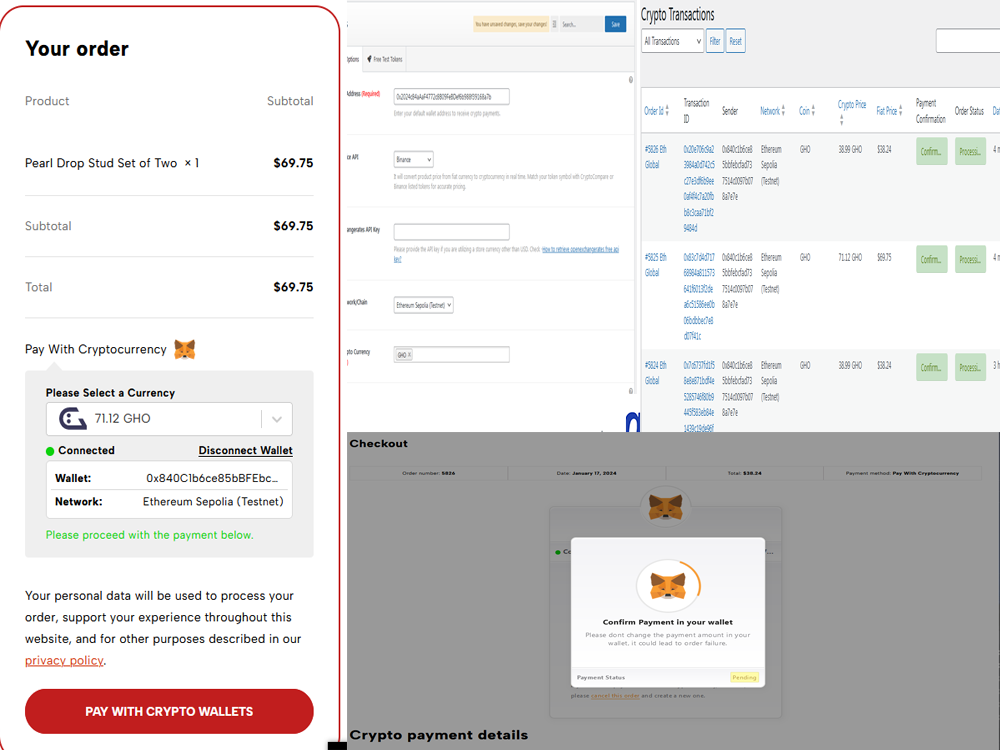 ## Introduction **GhoWoo**: is a groundbreaking plugin designed to revolutionize the way online stores accept payments. At its core, GhoWoo facilitates the integration of cryptocurrency payments, specifically through the GHO token, directly into your WooCommerce store. This innovative solution offers a seamless, efficient, and secure method for e-commerce businesses to diversify their payment options, catering to a growing market of crypto-enthusiastic customers. ## Key Features: 1. **Accept Payments in GHO Token:** Seamless integration with WooCommerce for accepting GHO tokens 2. **Peer-to-Peer Transactions:** Direct and secure P2P payment processing without intermediaries ## Local deployment 1. The easiest way to start a wordpress website is by using [localwp](https://localwp.com/) , once installed, start a new wordpress site , and make sure woocommerce is installed on the side . ## Installing the plugin 2. Download the plugin from the [latest releases](https://github.com/malawadd/gho-woo/releases/tag/v0.1.0-LGHO-Hack) 3. Install the plugin in Wordpress .gif) ## How To setup 1. Activate GhoWoo as a payment gateway from woocommerce .gi) 2. From GhoWoo setting choose any wallet address to recive payment on, and the netwrok you would like to accept payment on. 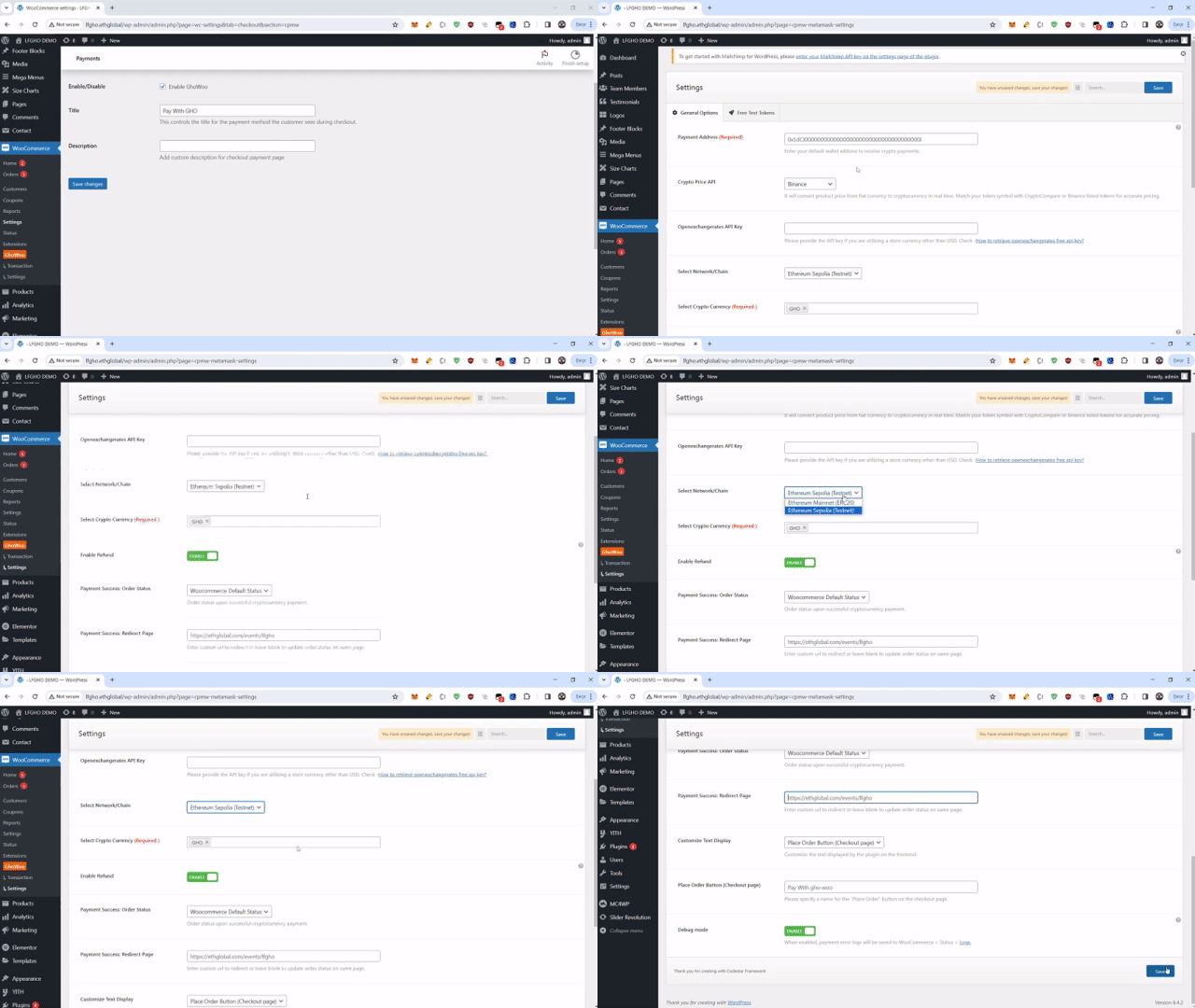 ## How the payment works customers simply choose to pay with metamsk, and thats it .  ## License MIT
How it's made
# GhoWoo Plugin Development Overview ## WordPress Plugin Development: ### Plugin Foundation: - **Plugin Identification:** GhoWoo, a plugin for MetaMask payments in WooCommerce, enabling Ethereum (ETH) and GHO token transactions. - **Initialization:** Uses a singleton pattern for the `metamask_pay` class for efficient global state management. ### Integration with WooCommerce: - **Payment Gateway:** A custom payment gateway (`WC_Gateway`) integrated into WooCommerce for handling cryptocurrency transactions. - **Admin Interface:** Admin settings page under WooCommerce for configuration and user-friendly admin-specific scripts and styles. ### Database and Installation: - **Database Operations:** Custom database class (`database`) for managing transaction data. - **Activation/Deactivation Hooks:** Hooks set up for tasks upon plugin activation or deactivation, including database setup and option management. ### Localization and Internationalization: - Prepared for internationalization, supporting multiple languages. ## REST API Integration: ### Custom API Endpoints: - Developed REST API endpoints like `verify-transaction`, `save-transaction` for handling cryptocurrency transactions. ### Security and Validation: - Implemented nonce verification and data sanitation for API request security and integrity. ### WooCommerce Interaction: - Used AJAX for server-side communication to update the order status in WooCommerce based on the blockchain transaction outcomes. Implemented back-end WordPress functions to securely handle AJAX requests, verify transactions, and update order statuses accordingly. ## Blockchain Integration: ### MetaMask and Ethereum Integration: - **MetaMask Wallet Connection:** Integration with MetaMask for Ethereum wallet connections and transaction executions. - **Ethereum Network Transactions:** Utilized Ethereum's network and APIs for handling payments in ETH and other tokens. ### JavaScript for Blockchain Interactions: - JavaScript used for MetaMask extension interactions for wallet connections, account changes, and transaction initiations. ### Transaction Handling and Status Updates: - JavaScript functions developed for managing transaction processes and real-time user interface updates based on transaction status using jQuery.